Shift Log version 4.22 includes:
- Entity-based filtering for entry tables in Workbooks and Dashboards.
- Variable-based default values for new entries.
- Extended default date period options in Workbooks.
- Updated Workbook Studio controls.
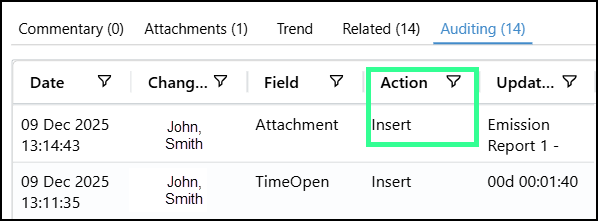
- Attachment activity auditing for entries.
Note: Before upgrading, always make sure your Environment has met Explorer minimum hardware requirements, as these are constantly evolving as additional capabilities are added.
Entity-Based Filtering for Entry Tables in Workbooks and Dashboards
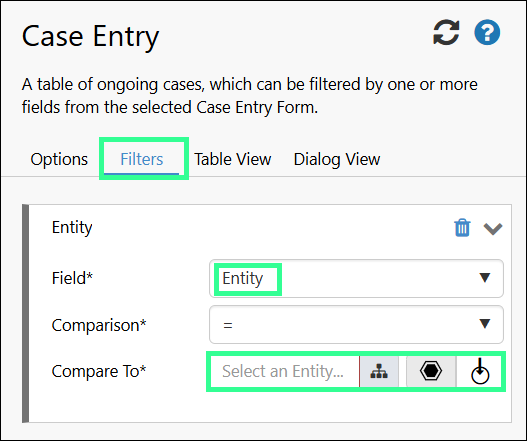
Entity-based filtering is now available for Entry Tables in Workbooks and Dashboards.
Entry Tables can be configured to filter entries based on the currently selected entity, allowing displayed information to update dynamically as users change entity selections.
When configuring entity filters, users can switch between fixed entity values and entity variables using a toggle. Filtering behaviour automatically adapts based on the selected comparison and applies the relevant entity selection at runtime.
This enhancement provides greater flexibility when designing interactive Workbooks and Dashboards that respond to user context.
Variable-Based Default Values for New Entries Added to Entry Tables
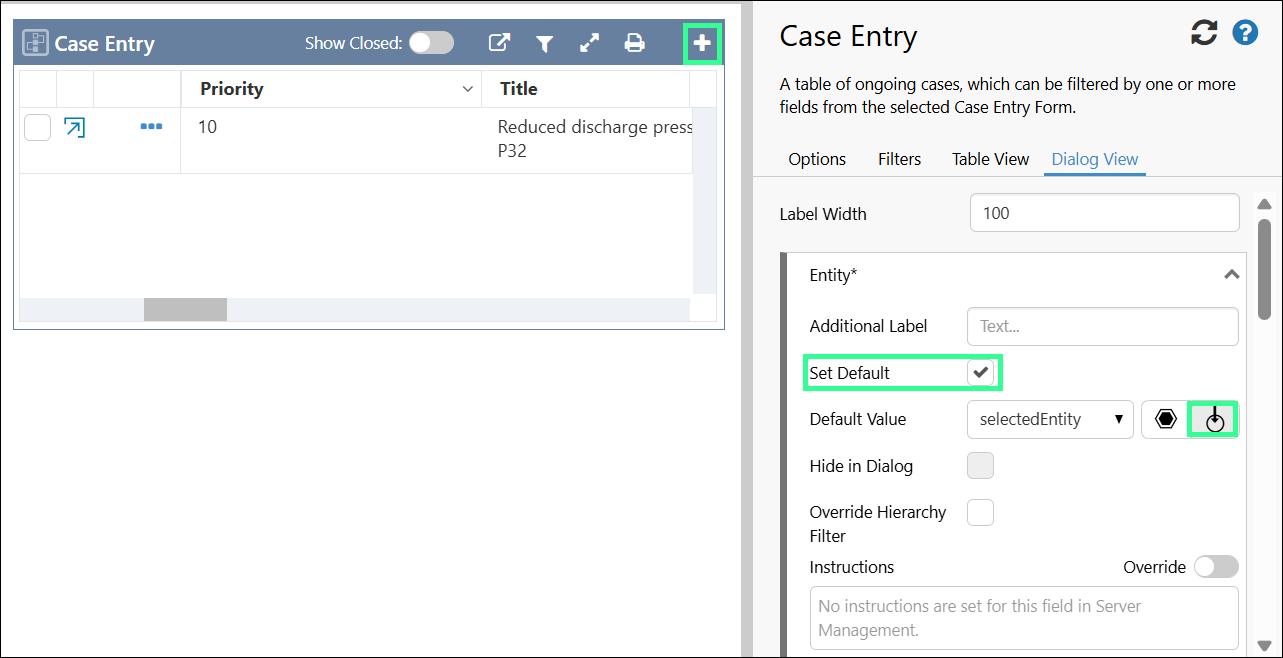
The Add action on Entry Table components can now pre-populate new entries using values from the current page or Workbook context.
When configuring entry dialog defaults, values can now be assigned using variables instead of fixed values. This allows information such as the currently selected entity to be automatically populated when creating a new entry.
Variable binding is supported for commonly used field types including Entity, Text, Boolean, Date/Time, and Number fields.
This enhancement helps ensure new entries are created with relevant information already populated, reducing manual data entry.
Extended Default Date Period Options in Workbooks
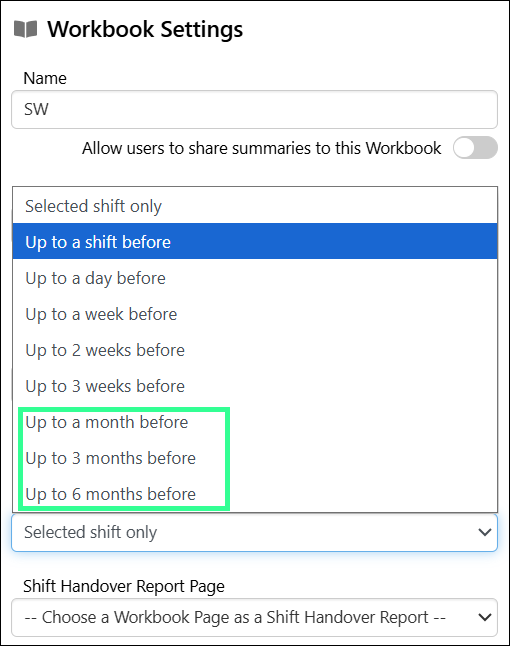
The range of default date periods available in Workbooks has been expanded to support longer timeframes.
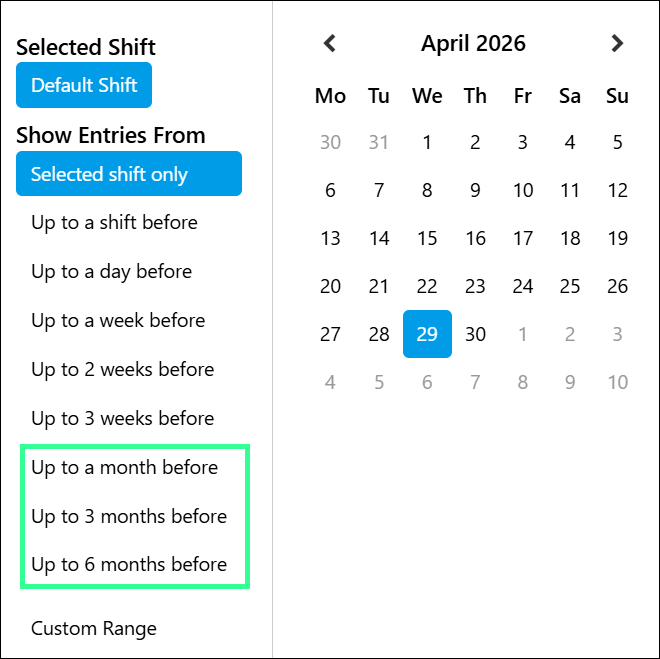
In addition to the existing options, Workbooks can now be configured with default date periods of:
- Up to a month before
- Up to 3 months before
- Up to 6 months before
These extended date period options are available in the ‘Default Date Period’ field in workbook settings and in the shift picker.
This enhancement makes it easier to work with long-running cases and entries by allowing a broader range of data to be displayed by default.
Updated Workbook Studio Controls
Workbook Studio has been enhanced with additional controls to provide greater configuration flexibility when designing Workbooks.
The following controls are now available in Workbook Studio:
- Pie Chart
- Paging Control
- Hierarchy
- Hierarchy Picker
- Entity Selector
- Action Button
- Selection List
- Text Label
These additions expand the range of interactive and visual components available when building Workbook experiences.
Attachment Activity Added to Auditing for Entries
Visibility into attachment-related changes has been improved by capturing attachment activity within entry audit logs.
When an attachment is added or removed, a single audit record is created containing details including:
- Date and time of the action
- User who performed the action
- Field name ("Attachment")
- Action type ("Insert" or "Delete")
- Updated value showing the file name and description
This enhancement improves traceability and accountability for attachment-related changes.