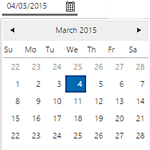
The Date Picker is used to select a date for which to retrieve data. The date is usually a 24-hour time range (midnight to midnight), but can be configured to start and end at a different time (e.g. 1am to 1am), or can even be shorter than 24 hours (e.g. 1am to 1pm). This article describes how to add a Date Picker control to a page during the page design process, and applies to versions 4.3.2 and earlier of P2 Explorer.
Read more
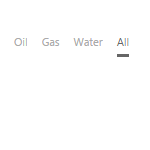
Option Links is similar to a Combo Box, but instead of displaying the options in a drop-down list, it displays them as a line of buttons. This article describes how to configure option links, and applies to versions 4.3.2 and earlier of P2 Explorer.
Read more

Overview IFS OI Explorer allows controls to subscribe to events that have been set on a page or a dataset. An event is something that causes a change on the page. Events can be published by: A control on a page A dataset on a page A page itself Controls can subscribe…
Read more
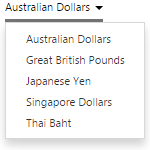
A Combo Box displays values in a drop-down list. It is often used to enable the user to select a value to pass to other components on the page. This article describes how to configure a combo box, and applies to versions 4.3.2 and earlier of P2 Explorer.
Read more
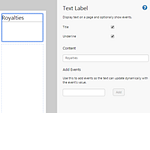
A text label displays text on an Explorer display. This article describes how to configure a text label, and applies to versions 4.3.1 and earlier of P2 Explorer.
Read more