Connection Status
The Connection Status panel records the requests to IFS OI Excel Add-in, and indicates the success or errors for each request. The messages logged here can be useful for diagnosing any problems that may occur.
The Connection Status panel records the requests to IFS OI Excel Add-in, and indicates the success or errors for each request. The messages logged here can be useful for diagnosing any problems that may occur.
This article explains how to add one or more entities to an Excel worksheet.
The Find Entities panel is where you can search or browse for entities to add to an Excel® worksheet. This article explains how to find entities.
This article explains how to connect Excel Add-in to the IFS OI Explorer server in order to fetch entity data.
This article describes how to navigate the Explorer Excel Add-in.

A Named List allows items to be presented in a list, wherever a Field of type List is needed. This allows users to choose a value from a list of valid items when they are completing an entry form. This article explains how to create a Named List in P2 Server Management.

A unit can be associated with a tag to define the unit of values fetched from a historian. This article describes how to create a master list of units in IFS OI Server.
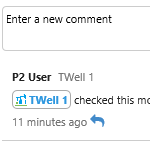
The Comments component displays a list of comments on an Explorer page. See how to configure the Comments component for time series data, such as a tag, entity, or attribute.
The Action Button is a button on a page that can be configured to change the status of a case. The Case ID is passed to this component from a page variable, which the user can select (from, for example, a Combo Box), or which they can update by typing into a Text Input component.
IFS OI Explorer charts work together with user controls to display source data interactively. There are several types of charts available, including area chart, line chart, scatter chart, bar chart, and stacked bar chart. Learn about the different types of chart series, how to configure charts to use different types of data, and how to use variables for controlling charts in display mode.