Meter

The Meter displays a numeric value in the form of a needle in relation of a range of targets. This article describes how to configure a meter in versions 4.4 and later of IFS OI Explorer.
The Meter displays a numeric value in the form of a needle in relation of a range of targets. This article describes how to configure a meter in versions 4.4 and later of IFS OI Explorer.
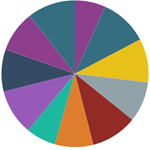
The Pie Chart shows a circular shape divided into coloured sectors that each represent a proportion of the whole. It is best used when the parts sum up to a meaningful whole and do not overlap. This article describes how to configure a pie chart in versions 4.4 and later of IFS OI Explorer.
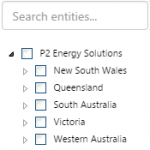
The hierarchy control allows a user to select an entity from a specific hierarchy. This article describes how to configure the hierarchy control, and applies to versions 4.4 and later of IFS OI Explorer.
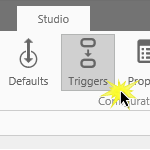
Triggers are useful for adding advanced interactions to a page, by regulating variables to conform to certain rules. Triggers currently allow manipulation of entity and time variables.
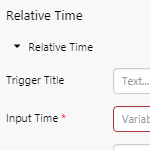
The Relative Time trigger sets a time difference between two datetime variables on a page. It does this by applying a specified time offset to an input variable, and designating this new time to an output variable. This article describes how to configure a Relative Time trigger,

The R Language infrastructure is available as a separate licensable component for IFS OI Server. This article explains how to configure the R adaptor in order to execute R scripts for the R Language calculation functions.

The Status Tile displays a value, and is coloured according to the relationship between value and a defined limit. It also has a title and a description, and can include a hyperlink. This article describes how to configure a Status Tile.
The Status Tile displays a value, and is coloured according to the relationship between value and a defined limit. It also has a title and a description, and can include a hyperlink. This article describes how to configure a Status Tile in versions 4.4.4-4.5.3 of P2 Explorer.
Hyperlinks provide a useful way to direct the navigational flow between various Explorer pages. They are also useful for opening trends, creating new trends, and opening external sites. This article shows how to configure hyperlinks in versions 4.5.2 and later of P2 Explorer.

Like Hyperlinks, Hotspots are useful for opening trends, creating new trends, and opening external sites. The Hotspot is transparent and is ideal for overlaying images, text labels, and other components. This article shows how to configure hotspots in versions 4.4.0-4.5.3 of P2 Explorer.