This article explains how to create a templated trend. A link to the trend is added to a template of an entity, so that it appears on an entity's Table of Contents tab on the Explorer ribbon. Tasks are performed in IFS OI Server Managment as well as IFS OI Explorer to achieve this.
Read more
This article explains how to create a templated trend. A link to the trend is added to a template of an entity, so that it appears on an entity's Table of Contents tab on the Explorer ribbon. Tasks are performed in IFS OI Server Managment as well as IFS OI Explorer to achieve this.
Read more

You will probably want to regularly save your trend as you are working on it. This article describes 3 ways to save your trend.
Read more
An Explorer trend displays time-series data, such as tags and attributes, over a selected period.
The trend can have multiple hairlines, and you can add comments to the trended tag or attribute.
See how to add and view trends, and how to use the calculation editor within the trend.
Read more

The Analysis panel in the Explorer Trend extends the capabilities of the trend to enable the creation and visualization of complex models directly against any timeseries data in the system.
Read more
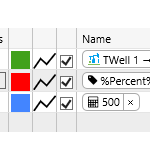
The trace table displays details about each trace on the trend. Up to 20 traces can be added to a trend, and each can be accessed and edited through the trace table.
Read more
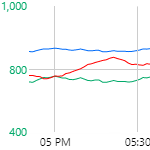
This article describes the features of the trace window, which displays a chart of the trace data along a X, and one or more Y-Axes.
Read more
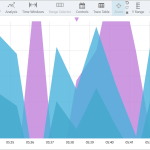
This article describes the features of the trace window, which displays a chart of the trace data along a X, and one or more Y-Axes.
Read more
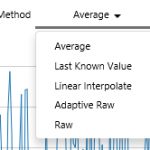
The selections you make on the Trend Controls affect the time range of the chart, as well as the data collection method and interval.
Read more
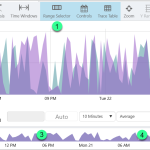
The selections you make on the Trend Controls affect the time range of the chart, as well as the data collection method and interval.
Read more